 Vellum Help
Generating Books
To create files that you can upload to online vendors, you will generate books: To do so, find the Generate button in Vellum’s toolbar:
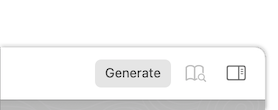
Note: Generating books requires a purchase. If you haven’t yet purchased a package for generating books, this button will read Purchase instead. If you’ve already purchased a Vellum license, you may need to restore it.
Press the Generate button to begin the process:
Initial Setup
The first time you press Generate, you’ll be asked to select the platforms where you’ll make your book available. You’ll then select the folder on your computer where Vellum will place your generated books.
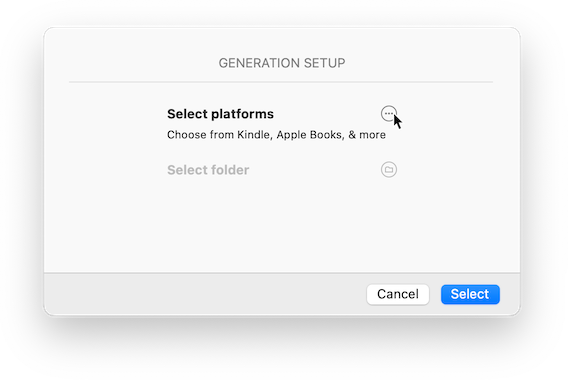

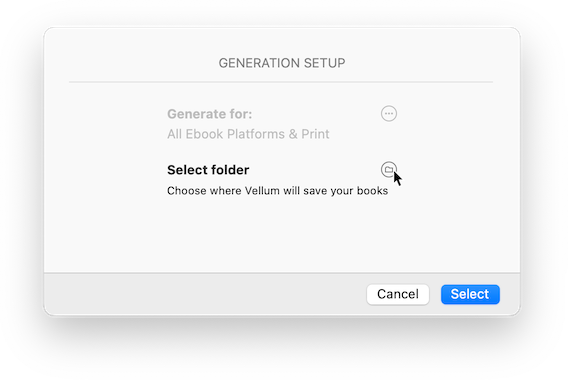
By default, Vellum will generate files for individual ebook platforms (such as Kindle, Apple, and Kobo). If you choose to upload to an aggregator (such as Draft2Digital or Smashwords), you will want to add Generic EPUB to the list of platforms.
Generating
Once you’ve performed the initial setup, you’re ready to generate. Press the Generate button in the sheet and Vellum will create files for each selected platform.
Changing Generate Options
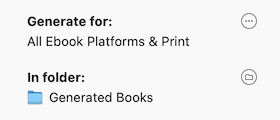
If you wish to change platforms or destination folder, press the button to the right of each setting:
Locating your Books
Once you’ve successfully generated your books, the generate sheet will display a Show Files button.
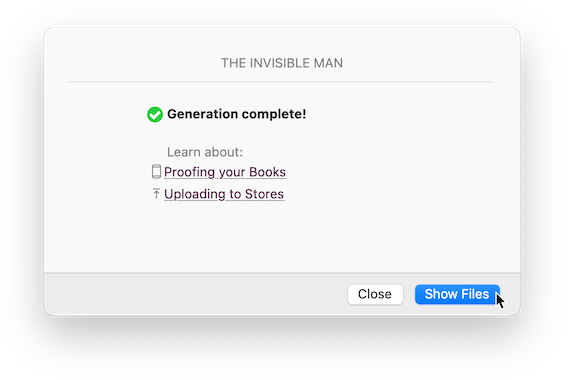
Press this button to open a Finder window with the platform-specific folders that Vellum has created:
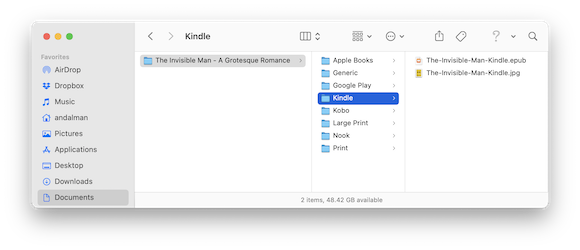
Each folder contains files ready for you to upload to online stores. Before you do that, though, we recommend that you proof your books to ensure everything looks as you expect.
Troubleshooting
- Why is Vellum prompting me to select another folder?
-
When Vellum cannot access the folder that was previously used to save your generated books, it will ask you to select a new output folder:
This can happen if you’ve deleted that original folder, or if you’ve moved your Vellum file from one computer to another.
Press the Select button and then choose a new output folder.
- I don’t see changes in my generated ebook!
-
When you first open an ebook, your reading application may save a copy to its library, and will only show this version of your book (even if you attempt to open a newer version).
Before you open a new version, then, we recommend deleting any old ebook versions from your reading application’s library.
To avoid this problem entirely — and “proof” your ebooks, rather than treat them as books you are trying to read — please follow the instructions on our Proofing help page.